Adapting to iPhone's Search Functionality: A Deep Dive for Android Switchers
Beyond Google: Mastering iPhone's Search Landscape
For long-time Android users, the search bar is often synonymous with Google. Switching to iPhone necessitates a shift in perspective, as Apple offers a comprehensive, albeit distinct, search ecosystem. This article explores the nuances of iPhone's search functionality, providing Android converts with the knowledge to navigate and leverage its power effectively.
Editor's pick: Android-to-iPhone migration accessories on Amazon → As an Amazon Associate, this site earns from qualifying purchases.
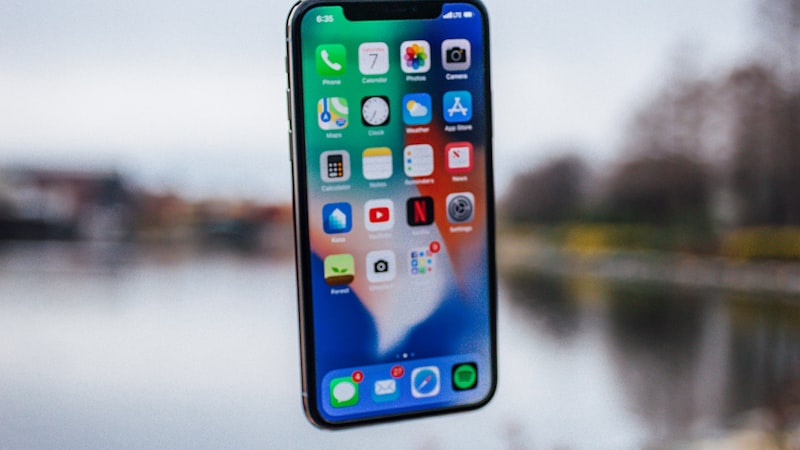
Spotlight Search: Your Central Hub
At the heart of iPhone's search lies Spotlight Search. Accessible by swiping down from the home screen or using the dedicated search button (depending on your iPhone model), Spotlight is more than just a simple app launcher. It's a unified search interface that indexes a vast range of data, including:
- Apps: Quickly locate and launch installed applications.
- Contacts: Find contact information directly.
- Messages: Search within your SMS and iMessage conversations.
- Email: Locate specific emails within your configured accounts.
- Calendar Events: Find upcoming appointments or past meetings.
- Notes: Search the content of your Notes app.
- Reminders: Access and manage your to-do lists.
- Web Results: Integrated web search powered by Apple's search technology, offering direct links to websites.
- Files: Search within the Files app for documents and downloads.
- Settings: Quickly access specific settings within the Settings app.
- Siri Suggestions: Proactive suggestions based on your usage patterns.
Unlike Android's reliance on Google Search for many system-level functions, Spotlight is deeply integrated into iOS, providing a seamless search experience across various data sources.
Customizing Spotlight for Optimal Performance
The true power of Spotlight lies in its customizability. Within the Settings app, under 'Siri & Search,' you can fine-tune which apps and content types are included in Spotlight search results. This allows you to prioritize the information most relevant to you and declutter the search results. For instance, if you rarely use Spotlight to search within a particular app, you can disable it to speed up search times and reduce clutter.
Search Within Apps: A Fragmented Landscape
While Spotlight provides a central search hub, many individual apps also offer their own dedicated search functions. This can be both a blessing and a curse. Some apps, like Apple's Mail app, offer robust search capabilities with advanced filtering options. Others, however, may have limited or poorly implemented search functionality. As we discussed in our analysis of display technology at iPhone View, the visual clarity of search results within these apps can also vary significantly, impacting usability.
Leveraging Siri for Hands-Free Search
Siri, Apple's voice assistant, provides another avenue for searching on your iPhone. You can use Siri to search for information online, find specific files, send messages, and perform other tasks hands-free. Siri integrates with Spotlight, so your search results are often the same regardless of whether you use voice or text input.
Adapting Your Search Habits
Switching from Android to iPhone requires a conscious effort to adapt your search habits. Here are a few tips for Android converts:
- Embrace Spotlight: Make Spotlight your primary search tool for most tasks.
- Customize Spotlight Settings: Fine-tune the settings to prioritize the content most relevant to you.
- Explore In-App Search: Familiarize yourself with the search capabilities of individual apps you frequently use.
- Utilize Siri: Leverage Siri for hands-free search, especially when you're on the go.
- Learn Advanced Search Syntax: Some apps and services support advanced search syntax (e.g., using quotation marks for exact phrases), which can significantly improve search accuracy.
By understanding and adapting to iPhone's search ecosystem, Android switchers can unlock the full potential of their new device and streamline their workflow.
Questions readers ask
How does adapting search android switch stack up against what Samsung or Google already ship?
Android OEMs reached this corner of the market first, but they did so with looser tolerances on durability and software polish. Apple's bet is that arriving second with a tighter integration story wins more buyers than arriving first.
Have patents or job listings hinted at adapting search android switch?
Yes — recent USPTO filings reference adjacent mechanisms, and Apple has been quietly posting roles in the relevant hardware and software teams. None of that guarantees a ship date, but it confirms the project is actively staffed.
Who is the realistic day-one buyer for adapting search android switch?
Enthusiasts and developers buy the first run. Mainstream adoption tracks the second-generation revision, once the rough edges are sanded down and the price comes in roughly $100 lower at the same tier.
Does iOS need rearchitecting to make adapting search android switch work properly?
Apple would need a window manager or surface-handling layer in iOS to do this well. The plumbing already exists on iPadOS in a limited form, so the engineering question is less invention and more refinement.
In short — what's the takeaway on customizing spotlight for optimal performance?
It comes back to whether Apple can ship adapting search android switch without compromising the parts of the iPhone people already pay for. The detail in this section is where that case is made or broken.