Adapting to iPhone's 'Always On' Display: A Guide for Android Switchers
The Transition to 'Always On': iPhone's Approach
For Android users making the switch to iPhone, the ‘Always On’ display (AOD) presents a familiar yet subtly different experience. While many Android devices have featured AOD capabilities for years, Apple's implementation on the iPhone 14 Pro and later models brings its own unique characteristics and customization options. This article serves as a guide to understanding and adapting to iPhone's AOD, focusing on battery optimization and feature nuances that differ from the Android ecosystem.
Editor's pick: Android-to-iPhone migration accessories on Amazon → As an Amazon Associate, this site earns from qualifying purchases.
Understanding iPhone's AOD Implementation
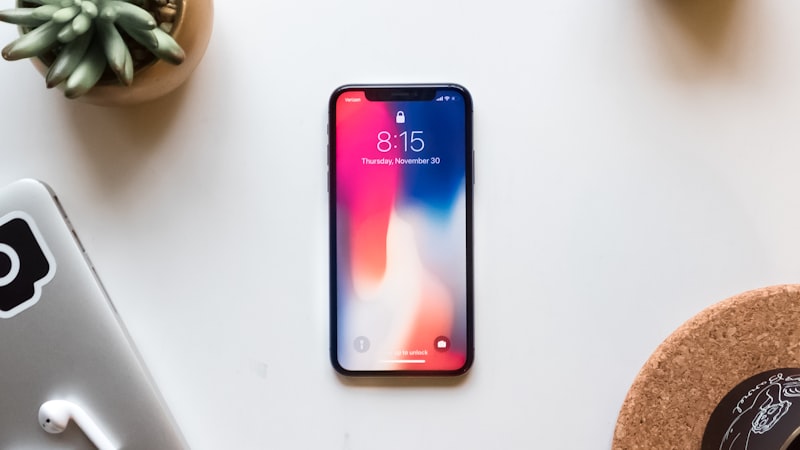
Unlike some Android AOD implementations that display a minimal set of information on a black screen, iPhone's AOD offers a more comprehensive view. It essentially dims the entire lock screen, retaining the wallpaper, widgets, and Live Activities at a reduced brightness and refresh rate. This allows for quick glances at essential information without fully waking the device. A patent application from Apple in 2022 (US20220308677A1) detailed various power-saving techniques, hinting at the direction they were taking with AOD, including selective dimming of screen elements and dynamic refresh rate adjustments.
Customization Options: Tailoring the AOD to Your Needs
iPhone’s AOD is not a one-size-fits-all feature. Users can customize it to align with their preferences and optimize battery life. The primary customization options include:
- Turning it off: If battery life is a major concern, the easiest solution is to disable AOD altogether in Settings > Display & Brightness > Always On Display.
- Hiding Wallpaper and Notifications: Users can choose to hide the wallpaper and disable notification previews, resulting in a more minimal and power-efficient AOD. This brings the iPhone's AOD closer to the more minimalist implementations found on some Android devices.
- Focus Modes: Integrate Focus Modes to control which notifications are displayed on the AOD. This prevents distractions and helps maintain privacy.
Battery Life Considerations
One of the biggest concerns for Android switchers is the impact of AOD on battery life. While Apple has optimized the feature to minimize power consumption, it inevitably uses more battery than a completely inactive screen. Several factors influence the battery drain, including screen brightness, the amount of information displayed, and the frequency of Live Activity updates. Early reports from display supply chain analysts like Display Supply Chain Consultants (DSCC) suggested Apple’s use of LTPO (Low-Temperature Polycrystalline Oxide) display technology in the iPhone 14 Pro was crucial for enabling AOD with minimal battery impact, as explored in our analysis of display technology at iPhone View.
Tips for Optimizing Battery Life with AOD
To mitigate battery drain while still enjoying the benefits of AOD, consider these tips:
- Reduce Screen Brightness: Lowering the overall screen brightness in Settings will also reduce the brightness of the AOD, saving power.
- Disable Raise to Wake: Preventing the screen from fully waking up when you lift the phone can conserve battery.
- Minimize Live Activities: Limit the number of active Live Activities displayed on the lock screen, as frequent updates consume power.
- Location Services: Review and restrict background location services for apps, as these can indirectly impact AOD battery life by triggering updates.
Comparing Android and iPhone AOD: Key Differences
While both Android and iPhone offer AOD capabilities, there are notable differences. Many Android implementations offer more granular control over the information displayed, allowing users to customize the clock style, notification icons, and even add custom text. Some Android devices also utilize ambient display features that only activate the AOD when a notification arrives or the device is moved. iPhone's AOD, on the other hand, prioritizes a seamless and integrated experience with the lock screen, offering a more visually consistent appearance.
Conclusion: Embracing the iPhone AOD Experience
Switching from Android to iPhone requires adapting to a new ecosystem and its unique features. The ‘Always On’ display is a prime example of this. By understanding its implementation, customization options, and impact on battery life, Android switchers can effectively integrate this feature into their iPhone workflow and enjoy the convenience of glanceable information while optimizing battery performance. As we've seen with the evolution of iPhone design at iPhone Arc, Apple often refines existing features over time, so expect further improvements and customization options for the AOD in future iOS updates.