Why Your New iPhone Feels So Smooth: A Performance Guide for Android Switchers
Making the switch from an Android device to an iPhone often brings a noticeable change in user experience. While Android offers unparalleled customization and choice, many new iPhone users report a sense of enhanced fluidity, stability, and overall responsiveness from their new device. This isn't merely a subjective impression; it's a direct outcome of Apple's distinct approach to hardware, software, and ecosystem management. For Android switchers accustomed to varying performance across different manufacturers and software versions, understanding these underlying principles can clarify why the iPhone experience often feels so consistently smooth.
Editor's pick: Android-to-iPhone migration accessories on Amazon → As an Amazon Associate, this site earns from qualifying purchases.
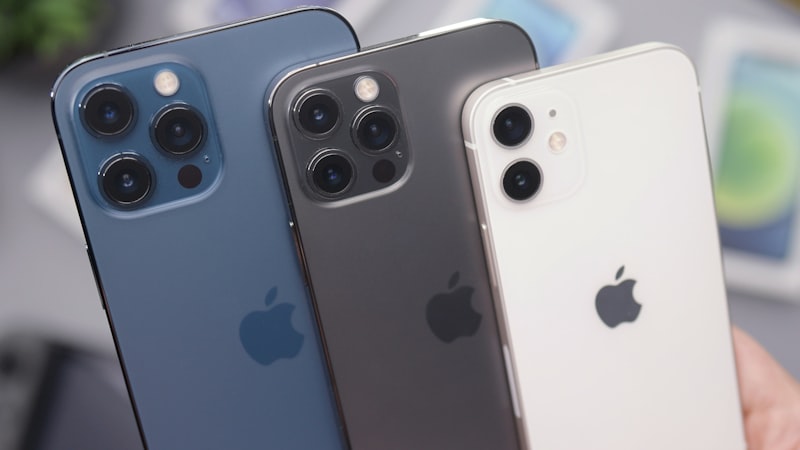
The Core Principle: Hardware-Software Synergy
At the heart of the iPhone's performance lies Apple's philosophy of tight integration between hardware and software. Unlike the Android ecosystem, where Google develops the operating system for a multitude of manufacturers using diverse hardware components, Apple designs both the iPhone's custom silicon (the A-series chips) and iOS. This vertical integration allows for unparalleled optimization.
Every component, from the CPU and GPU to the neural engine and memory controller, is engineered to work in perfect concert with the operating system. This means iOS can make highly efficient use of the hardware's capabilities, leading to faster app launches, smoother animations, and more responsive touch interactions. For an Android switcher, this contrasts sharply with an ecosystem where software must be adapted to a vast array of chipsets, display technologies, and camera modules, often leading to performance inconsistencies and fragmentation issues across different devices and price points.
Efficient Resource Management: Doing More With Less
One common observation for Android users is that iPhones often perform exceptionally well with seemingly less RAM than their Android counterparts. This efficiency stems from iOS's sophisticated resource management. Apple designs iOS to be lean and highly optimized for its specific hardware. Applications are managed in a way that prioritizes foreground tasks, ensuring that the app you are actively using has immediate access to the necessary CPU, GPU, and memory resources.
While iOS does allow for background activity, it employs strict controls to prevent apps from unnecessarily draining resources or consuming excessive power when not actively in use. This approach minimizes system overhead and ensures that the overall user interface remains consistently responsive. Android, by design, often keeps more processes active in the background and has to contend with the Java Virtual Machine overhead, which can necessitate higher RAM capacities to maintain similar levels of fluidity, especially on devices with less optimized software layers from various manufacturers.
App Optimization and the Integrated Ecosystem
The App Store's stringent review process and Apple's unified development platform also play a critical role in the iPhone's consistent performance. Developers building apps for iOS have a relatively standardized hardware environment to target, simplifying optimization efforts. Apple provides robust developer tools and frameworks that encourage best practices for performance and stability.
This integrated ecosystem means that most applications available on the App Store are designed and optimized specifically for the iPhone's capabilities. The result is a reduced likelihood of app crashes, fewer performance bottlenecks, and a more uniform experience across different applications. For switchers, this translates to a more reliable app experience where applications tend to perform as expected, without the occasional slowdowns or compatibility issues that can arise in the more diverse Android app landscape.
Consistent Updates and Long-Term Stability
Another significant factor contributing to the iPhone's sustained performance and stability is Apple's approach to software updates. When a new version of iOS is released, it becomes available simultaneously to all supported iPhone models, regardless of carrier or region. These updates not only introduce new features and security enhancements but also often include performance optimizations and bug fixes that maintain the device's fluidity over time.
This unified update strategy ensures that a wide range of iPhones continue to receive the latest software improvements for many years, directly contributing to their longevity and sustained performance. In contrast, Android updates are often dependent on manufacturers and carriers, leading to a fragmented update schedule where some devices may receive updates much later, or not at all, potentially impacting long-term performance and security. This integrated approach also contributes to the iPhone's renowned longevity, a topic we delve into in detail at iPhone Evolve, where we discuss strategies for getting more years out of an older iPhone.
What This Means for You, the Android Switcher
For an Android user transitioning to iPhone, these architectural differences translate into a distinct daily experience. You can expect:
- Consistent Responsiveness: The user interface, from scrolling through menus to launching demanding applications, will generally feel consistently smooth and free of stutters.
- Reliable App Performance: Apps tend to launch quickly and run stably, with fewer unexpected crashes or slowdowns.
- Less "Maintenance": There's typically less need to manually manage background apps, clear caches, or perform other "optimizations" to keep the phone feeling fast. iOS handles much of this automatically and efficiently.
- Longer Sustained Performance: Your iPhone is likely to maintain a high level of performance and receive critical software updates for several years, offering excellent long-term value.
Ultimately, the iPhone's performance and stability are not just about raw specifications; they are a testament to Apple's integrated ecosystem where hardware and software are co-designed for a predictable, polished, and consistently fluid user experience. This fundamental difference is often one of the most compelling aspects for users making the switch from Android.