Understanding iPhone's Default Apps: Replacements and Why You Might Not Need Them
Embracing the iPhone Ecosystem: Are Default App Replacements Necessary?
Switching from Android to iPhone often triggers a search for familiar apps. One common impulse is to immediately replace Apple's default applications—Mail, Calendar, Safari, Maps, and others—with alternatives previously used on Android. While choice is a hallmark of modern mobile operating systems, it's worth pausing to consider whether replacing these core apps is truly necessary or even beneficial.
Editor's pick: Android-to-iPhone migration accessories on Amazon → As an Amazon Associate, this site earns from qualifying purchases.
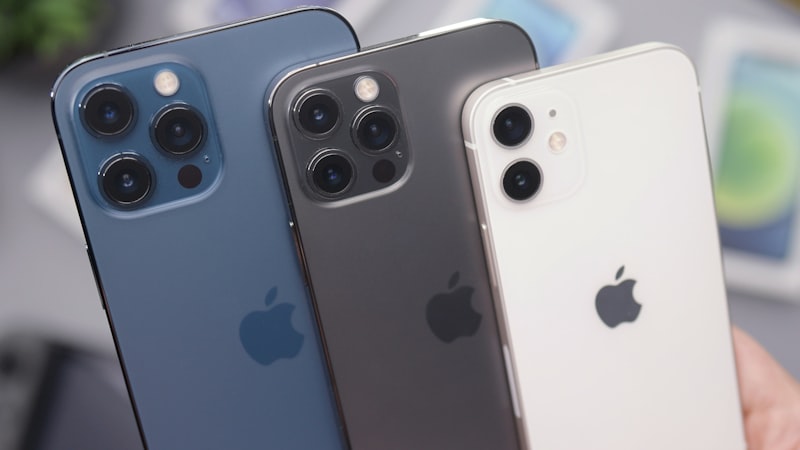
The iPhone's default apps are deeply integrated into iOS. This integration offers several advantages, including seamless syncing with iCloud, optimized battery performance, and tight integration with other Apple services and features. For example, the Mail app interacts flawlessly with iCloud email accounts and utilizes Apple's push notification service, leading to potentially better battery life compared to third-party email clients that rely on background refresh.
Analyzing Key Default Apps: Strengths and Weaknesses
Let's examine some of the most common default apps Android users consider replacing:
- Safari: Many Android users are accustomed to Chrome's synchronization capabilities and feature set. However, Safari on iPhone has evolved significantly. It now offers robust privacy features, intelligent tracking prevention, and excellent performance, especially on newer iPhones powered by Apple Silicon. Furthermore, Safari's tight integration with iCloud Keychain for password management is a significant convenience for users already invested in the Apple ecosystem.
- Mail: As mentioned, Mail offers superior integration with iCloud. While it may lack some of the advanced features found in third-party email apps like Spark or Outlook, its simplicity and efficiency are often overlooked. For users primarily using iCloud or other standard email providers, Mail is often sufficient.
- Calendar: Similar to Mail, Calendar benefits from deep system integration. It syncs seamlessly with iCloud Calendar, Google Calendar, and other CalDAV accounts. The native integration ensures that event notifications are delivered reliably and that the app works flawlessly with Siri.
- Maps: Apple Maps has improved dramatically in recent years, surpassing Google Maps in some areas, particularly in privacy. It offers detailed 3D maps, cycling directions, and accurate public transportation information in many major cities. While Google Maps still holds an advantage in breadth of data and user reviews, Apple Maps offers a cleaner interface and a stronger focus on user privacy.
When Replacements Make Sense
While the default apps are often sufficient, there are scenarios where replacing them makes sense. For example:
- Heavy Google Services Users: If you are deeply invested in the Google ecosystem, using Gmail, Google Calendar, and Google Maps might offer a more consistent experience across platforms. The Google apps often provide features and integrations that are not available in Apple's default apps.
- Specific Feature Requirements: Some third-party apps offer specialized features not found in the default apps. For example, a power user might prefer a more advanced email client with features like snoozing emails, advanced filtering, or integration with productivity tools.
- Cross-Platform Continuity: If you use a non-Apple operating system on your desktop or laptop, sticking with cross-platform apps like Chrome or Firefox ensures a consistent browsing experience and easy syncing of bookmarks and passwords.
The Value of Ecosystem Integration
Ultimately, the decision to replace default apps depends on individual needs and preferences. However, it's important to recognize the value of the iPhone's ecosystem integration. As we explored in our analysis of display technology at iPhone View, Apple's attention to detail extends beyond hardware to software, creating a cohesive and optimized user experience. This integration often translates to better performance, battery life, and overall ease of use.
Before rushing to replace the default apps, take some time to explore their features and capabilities. You might be surprised at how well they meet your needs. Consider also the benefits of staying within the Apple ecosystem, including seamless integration with other Apple devices and services. And as iPhone Evolve often highlights, the value retention of iPhones is often linked to how deeply embedded users are in the ecosystem.
In conclusion, replacing iPhone's default apps is a personal choice. However, understanding the strengths and weaknesses of both Apple's offerings and third-party alternatives will allow you to make an informed decision that optimizes your iPhone experience.