Mastering Photo Management on iPhone: A Guide for Android Switchers
Switching from an Android device to an iPhone involves adapting to several new systems, and one of the most significant changes for many users is how photos are managed. While Android often relies heavily on Google Photos for cloud storage and organization, iPhone centers its photo experience around the native Photos app and its deep integration with iCloud Photos. Understanding this shift is crucial for a smooth transition and ensuring your memories are safely stored and easily accessible.
Editor's pick: Android-to-iPhone migration accessories on Amazon → As an Amazon Associate, this site earns from qualifying purchases.
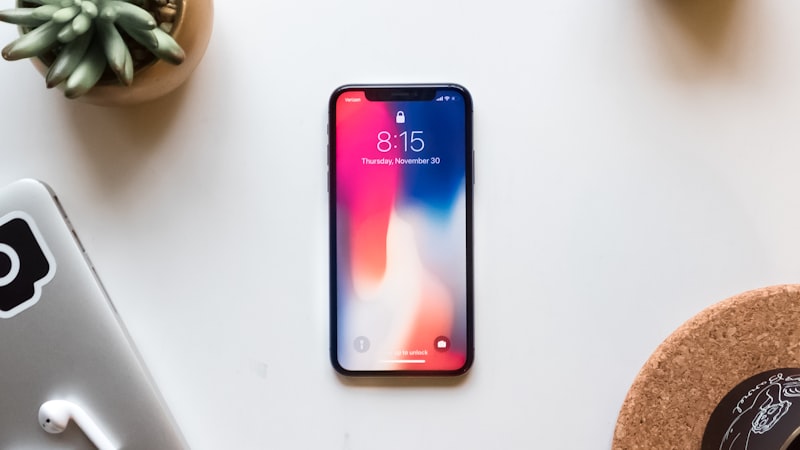
The Photos App: Your New Digital Album
On iPhone, the Photos app is the primary hub for all your images and videos. It’s designed to be intuitive, automatically organizing your content into various categories like Library (all photos), For You (curated memories and effects), Albums (user-created or system-generated collections), and Search (powerful object and text recognition). Coming from Android, you’ll find some similarities in the gallery view, but the underlying mechanics, especially concerning cloud integration, are distinct.
iCloud Photos: The Seamless Cloud Backbone
The cornerstone of iPhone’s photo management is iCloud Photos. When enabled, every photo and video you capture or import on your iPhone is automatically uploaded to iCloud in its original resolution. This offers several key advantages for Android switchers:
- Automatic Backup: Your entire photo library is securely backed up to the cloud, accessible from any of your Apple devices (iPad, Mac, Apple TV, iCloud.com). This provides peace of mind that your memories are protected even if your device is lost or damaged.
- Seamless Syncing: Changes made to a photo on one device—editing, deleting, or adding to an album—are instantly reflected across all your devices. This ensures a consistent library experience.
- Storage Optimization: iCloud Photos can automatically save space on your iPhone by replacing full-resolution photos and videos with optimized, smaller versions while keeping the originals in iCloud. You can download the full-resolution version anytime. This is particularly useful for users with lower local storage iPhones.
- Family Sharing: With iCloud Family Sharing, you can create a Shared Photo Library, allowing family members to contribute and access a collective set of photos and videos.
For Android users accustomed to Google Photos’ generous free storage tiers, the transition to iCloud Photos might require adjusting to Apple’s storage plans. While you get 5GB free, most users quickly opt for a paid iCloud+ plan (50GB, 200GB, 2TB, etc.) to accommodate their photo library. Consider your existing Google Photos library size when selecting an iCloud+ plan.
Live Photos: Bringing Moments to Life
iPhone’s Live Photos feature captures a short video clip (1.5 seconds before and after) along with the still image when you take a photo. This results in a dynamic image that can be played back with a long press on the screen, revealing the movement and sound of the moment. Android devices have offered similar features like "Motion Photos" or "Top Shot," but Live Photos are deeply integrated into the iPhone experience, from the Photos app to Messages and even dynamic wallpapers.
You can edit Live Photos, choose a different key photo, or apply effects like Loop, Bounce, or Long Exposure directly within the Photos app. This adds an extra layer of creative possibility beyond a static image.
Intuitive Editing and Organization Tools
The Photos app also includes a powerful suite of built-in editing tools. You can adjust exposure, contrast, highlights, shadows, vibrancy, and more with simple sliders. There are also filters, cropping tools, and options for straightening and rotating. These tools are often sufficient for everyday enhancements, reducing the need for third-party editing apps for basic adjustments.
Organization is streamlined through automatic categorization (People, Places, Categories), but you can also create custom albums to group photos as you wish. The Search function is incredibly robust, allowing you to find photos based on objects, text within images, dates, locations, and even specific events or people.
Transition Tips for Android Switchers
- Enable iCloud Photos Early: As soon as you set up your iPhone, enable iCloud Photos in Settings > [Your Name] > iCloud > Photos. This will begin the process of uploading your library and keeping it synchronized.
- Review Storage Needs: Assess the size of your existing photo library and choose an appropriate iCloud+ plan. You can upgrade or downgrade at any time.
- Explore the "For You" Tab: This tab often surfaces delightful memories, collages, and effects automatically generated from your library, similar to Google Photos' "Memories" feature.
- Understand "Optimized Storage": If you enable "Optimize iPhone Storage" in Settings > Photos, your iPhone will manage local copies to save space. Full-resolution versions are always available in iCloud.
- Consider Display Quality: For the best viewing experience of your newly managed photos, understanding your iPhone's display capabilities is key. Our sister site, iPhone View, offers in-depth guides on display calibration and settings to ensure your photos look their best.
While the initial adjustment from Android's photo ecosystem to iPhone's might feel different, the underlying principles of secure cloud backup, seamless synchronization, and powerful organization remain central. Once you’re accustomed to iCloud Photos and the native Photos app, you’ll find it’s a robust and convenient system for preserving and reliving your cherished moments.