Navigating the iPhone Find My Network: An Essential Guide for Android Switchers
Switching from Android to iPhone introduces you to a new suite of services and features, and one of the most powerful for peace of mind is Apple's Find My network. While Android users are familiar with Google's 'Find My Device' for locating phones and tablets, the iPhone's Find My system offers a significantly broader and more integrated ecosystem. This guide will walk you through understanding and utilizing the Find My network, ensuring you're well-equipped to track your Apple devices, personal items, and even stay connected with family and friends.
Editor's pick: Android-to-iPhone migration accessories on Amazon → As an Amazon Associate, this site earns from qualifying purchases.
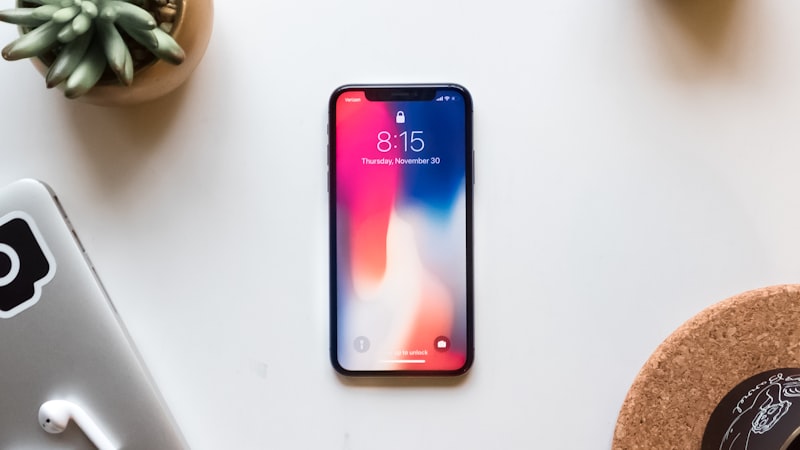
What is the Find My Network?
At its core, the Find My network is Apple's comprehensive solution for locating your devices and personal belongings. It extends far beyond just finding your iPhone; it encompasses iPads, Macs, Apple Watches, AirPods, and even compatible third-party accessories. What sets it apart is its vast, anonymous, and encrypted crowd-sourced network. Every iPhone, iPad, and Mac device anonymously contributes to this network, securely relaying the location of lost items or devices that are within their Bluetooth range, even if those items are offline.
For Android switchers, the immediate benefit is moving from a system primarily reliant on an active internet connection for device location to one that can pinpoint items offline, using the collective power of millions of Apple devices worldwide. This means a lost iPhone that's powered off or without Wi-Fi/cellular data can still be located by leveraging nearby active Apple devices.
Locating Your Devices with Find My
The primary use for many switchers will be locating a misplaced or stolen iPhone. The Find My app, pre-installed on your iPhone, is your central hub for this. Here’s how it works:
- Locate on a Map: The app displays all your linked Apple devices on a map in real-time. If a device is offline, it shows its last known location for up to 24 hours, and then its location when detected by the Find My network.
- Play Sound: If your device is nearby but out of sight, you can make it play a loud sound to help you find it.
- Lost Mode: For devices you believe are lost or stolen, Lost Mode is crucial. It remotely locks your device, displays a custom message and contact number on the lock screen, and tracks its location. Apple Pay is also suspended to prevent unauthorized transactions.
- Erase Device: As a last resort, if you're certain your device is unrecoverable, you can remotely erase all its data to protect your personal information. Once erased, you can no longer track the device.
Offline Finding: A Key Differentiator
Unlike many Android
Hands-on time is the only honest test. A reviewer's first hour with the device tells them whether find network android switchers is solving a real problem they had, or a feature looking for a use case. The reviews following launch will be the verdict. The likeliest path is co-existence — a new variant alongside the existing lineup, not a replacement. Apple's segmentation playbook keeps the older model around at a lower price for at least one cycle to absorb the gap. Android OEMs reached this corner of the market first, but they did so with looser tolerances on durability and software polish. Apple's bet is that arriving second with a tighter integration story wins more buyers than arriving first. Yes — recent USPTO filings reference adjacent mechanisms, and Apple has been quietly posting roles in the relevant hardware and software teams. None of that guarantees a ship date, but it confirms the project is actively staffed. It comes back to whether Apple can ship find network android switchers without compromising the parts of the iPhone people already pay for. The detail in this section is where that case is made or broken.Questions readers ask
What would convince a sceptical reviewer that find network android switchers is worth it?
Will find network android switchers replace the current model or sit alongside it?
How does find network android switchers stack up against what Samsung or Google already ship?
Have patents or job listings hinted at find network android switchers?
In short — what's the takeaway on more from iphone switch?