Beyond Google Play: Discovering iPhone's App Sideloading Ecosystem After Android
Beyond Google Play: Discovering iPhone's App Sideloading Ecosystem After Android
For many long-time Android users, the ability to sideload applications is a familiar and appreciated freedom. The Google Play Store, while comprehensive, doesn't always offer every app a user might want or need. Stepping into the world of iPhone, which has historically been a more closed ecosystem, can initially feel restrictive. However, understanding the nuances of Apple's evolving policies reveals a more nuanced picture, particularly in light of recent regulatory changes and Apple's responses.
Editor's pick: Android-to-iPhone migration accessories on Amazon → As an Amazon Associate, this site earns from qualifying purchases.
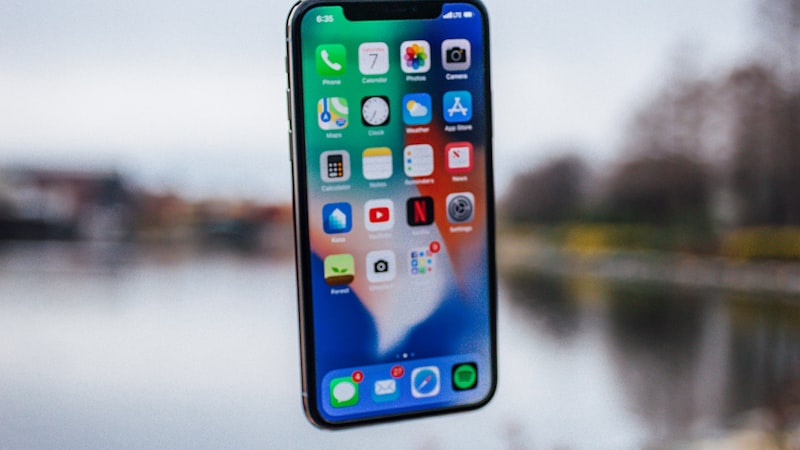
The term 'sideloading' traditionally refers to installing applications on a device without using the official app store. On Android, this is a relatively straightforward process involving enabling developer options and installing APK files. On iPhone, the situation has been different, primarily due to Apple's emphasis on security and user experience control. However, the Digital Markets Act (DMA) in the European Union, coupled with similar pressures in other regions, has prompted Apple to make significant concessions.
Understanding Apple's New Framework
As of iOS 28, users in the EU have access to alternative app marketplaces and, under certain conditions, the ability to sideload apps directly. This doesn't mean a free-for-all installation of any arbitrary application. Apple maintains a level of control through notarization requirements. Notarization involves submitting apps to Apple for a security scan, ensuring they meet basic safety standards. While this adds a layer of friction compared to Android, it aims to mitigate the risk of malware and protect users who may be less tech-savvy.
Alternative App Marketplaces: A Growing Landscape
Several alternative app marketplaces have emerged in the EU, offering curated collections of apps that might not be available on the App Store. These marketplaces often cater to specific niches, such as open-source software, productivity tools, or gaming. While the selection is still limited compared to the Google Play Store, the ecosystem is rapidly evolving. Developers are increasingly seeing the value in reaching iPhone users through these alternative channels, especially given the potential for higher revenue and reduced App Store fees.
Developer Mode: Unlocking Advanced Capabilities
Even outside the EU, the concept of 'Developer Mode' on iPhone is crucial for sideloading. Developer Mode, while not directly enabling the installation of apps from unknown sources in the same way as on Android, allows developers to test and debug their applications on physical devices. This requires an Apple Developer account, which can range from free (with limited functionality) to paid (offering full access to development tools and distribution channels). For advanced users comfortable with the technical aspects, Developer Mode provides a pathway to experiment with custom apps and utilities.
Security Considerations When Sideloading
It's imperative to emphasize the security risks associated with sideloading. Unlike apps downloaded from the official App Store (which undergo rigorous security checks), sideloaded apps might contain malware or compromise your privacy. Exercise extreme caution when installing apps from unknown sources, even if they are notarized. Research the developer, read reviews (if available), and be wary of apps that request excessive permissions.
Future Trends and the Evolving Ecosystem
The future of app distribution on iPhone is likely to become even more diverse. As regulatory pressure increases globally, Apple may be compelled to further loosen its grip on the App Store. This could lead to more sophisticated sideloading mechanisms, potentially including the ability to install apps directly from developer websites without relying on alternative marketplaces. The evolution of display technology, as we explored in our analysis of display technology at iPhone View (https://iphoneview.com), is also playing a role. More advanced display capabilities and flexible screen sizes could incentivize developers to create innovative apps that are distributed outside the traditional App Store.
For Android switchers, understanding these nuances is key to adapting to the iPhone ecosystem. While the initial experience might seem more restrictive, exploring the options for alternative app marketplaces, developer modes, and future sideloading capabilities can unlock a world of customization and functionality that goes beyond the confines of the App Store. It's about navigating a different landscape, one that balances security with user choice in an ever-evolving environment.