Face ID vs. Android Biometrics: A Secure Transition for Switchers
Face ID vs. Android Biometrics: A Secure Transition for Switchers
For Android users considering a switch to iPhone, understanding the differences in biometric authentication is crucial. While both platforms offer secure and convenient ways to unlock devices and authorize transactions, the underlying technologies and implementation philosophies differ significantly. This analysis will explore the nuances of Apple's Face ID system compared to the various biometric options available on Android devices, providing Android converts with the information they need for a smooth and secure transition.
Editor's pick: Android-to-iPhone migration accessories on Amazon → As an Amazon Associate, this site earns from qualifying purchases.
The Evolution of Biometrics on Android
Android's approach to biometrics has been more fragmented than Apple's. Initially, fingerprint sensors were the primary biometric authentication method, with manufacturers implementing different technologies ranging from capacitive sensors to ultrasonic readers. The placement also varied, with sensors found on the front, back, or side of devices. More recently, facial recognition has become increasingly common, however, its security levels vary widely. Some Android devices utilize basic 2D facial recognition, which can be easily fooled by photos or videos, while others employ more sophisticated 3D mapping techniques.
Furthermore, Android's open-source nature allows for greater customization by manufacturers, leading to inconsistencies in biometric performance and security across different devices. While Google introduced the BiometricPrompt API to standardize the biometric authentication experience, the underlying hardware and software implementation remain device-specific.
Face ID: A Standardized and Secure Approach
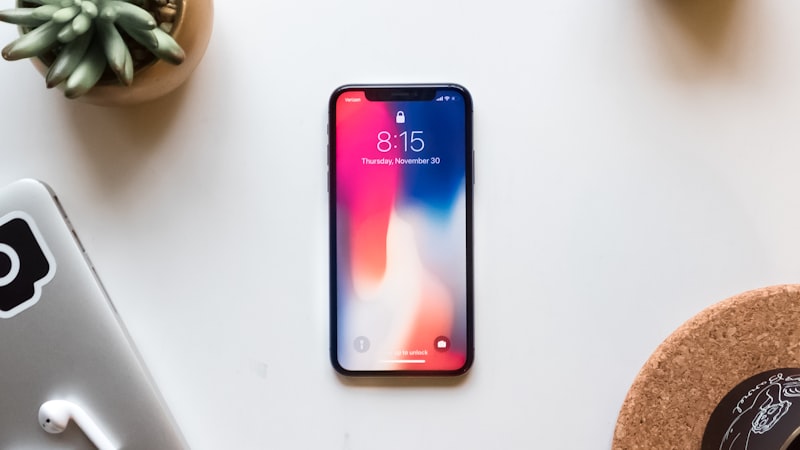
Apple's Face ID, introduced with the iPhone X, relies on a structured light system consisting of a dot projector, flood illuminator, and infrared camera. The dot projector casts over 30,000 invisible dots onto the user's face, creating a 3D depth map. The infrared camera then captures this map, which is analyzed by the A-series chip's Neural Engine to verify the user's identity. This process is significantly more secure than 2D facial recognition, as it is far more difficult to spoof.
One of the key advantages of Face ID is its standardization across all iPhones that feature it. This ensures a consistent level of security and performance regardless of the specific iPhone model. Apple's tight control over hardware and software integration allows for a highly optimized and secure biometric authentication experience. Furthermore, Apple’s commitment to privacy is evident in Face ID’s design. Facial recognition data never leaves the device and is not shared with Apple or third parties.
Key Differences for Android Switchers
- Security: Face ID generally offers a higher level of security compared to most Android facial recognition systems, particularly those employing only 2D analysis. While some high-end Android phones offer comparable 3D facial recognition, the consistency and reliability of Face ID are often superior.
- Convenience: Both Face ID and fingerprint sensors offer convenient ways to unlock devices and authenticate transactions. Face ID excels in situations where fingerprint sensors are difficult to use, such as when hands are wet or gloved. However, Face ID requires the user to be looking directly at the device, which can be less convenient in certain scenarios.
- Privacy: Apple's commitment to on-device processing and data privacy is a key differentiator. While Android also offers biometric authentication APIs, the level of privacy protection can vary depending on the device manufacturer and software implementation.
Adapting to Face ID
Android users switching to iPhone may need some time to adapt to Face ID. Ensuring proper setup and understanding its limitations are crucial. For instance, Face ID may struggle in very bright sunlight or when wearing certain types of masks or sunglasses. However, Apple continuously improves Face ID's performance through software updates, addressing edge cases and enhancing accuracy. As we've covered on iPhone View, advancements in display technology are also indirectly improving Face ID's performance. The improved brightness and clarity of iPhone displays contribute to better ambient light sensing, which can aid the infrared camera in capturing a more accurate facial map, especially in challenging lighting conditions (https://iphoneview.com).
Beyond Unlocking: Authentication Across the Ecosystem
Face ID isn't just for unlocking your iPhone. It's deeply integrated into the Apple ecosystem, allowing for secure authentication for Apple Pay, App Store purchases, and password management. This seamless integration provides a consistent and secure user experience across various applications and services. The security afforded by Face ID is a cornerstone in the ease of use of password management, a capability which we’ve seen become increasingly sophisticated in recent years, allowing for a secure vault of login credentials that is easily accessible across all devices.
Conclusion
Switching from Android to iPhone involves adapting to a new biometric authentication system. While Android offers a variety of fingerprint sensors and facial recognition options, Apple's Face ID provides a standardized, secure, and convenient alternative. By understanding the differences between these systems, Android converts can make a more informed decision and ensure a smooth and secure transition to the iPhone ecosystem.