From Digital Wellbeing to Screen Time: Managing Your Digital Health on iPhone After Switching from Android
For many users transitioning from Android to iPhone, familiar tools and concepts often have iOS counterparts that, while serving a similar purpose, operate with a distinct Apple philosophy. One such area is digital wellness – the set of features designed to help you monitor and manage your device usage for a healthier balance. Android users are well-acquainted with Digital Wellbeing; on iPhone, its equivalent is called Screen Time.
Editor's pick: Android-to-iPhone migration accessories on Amazon → As an Amazon Associate, this site earns from qualifying purchases.
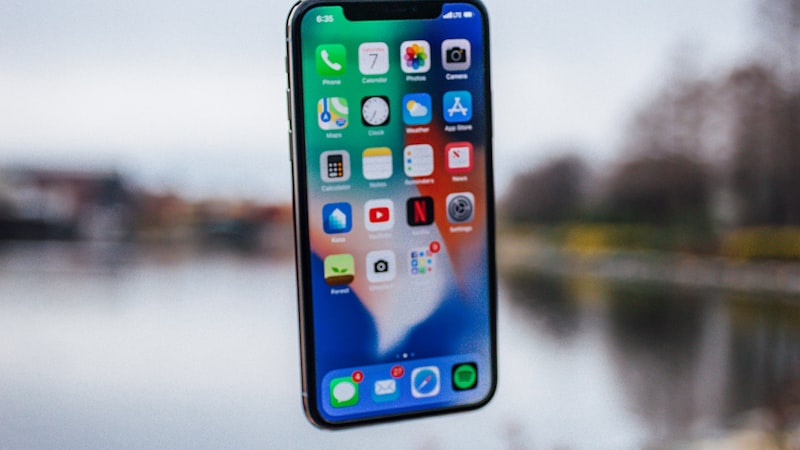
Understanding Screen Time is crucial for maintaining mindful device habits on your new iPhone. While both systems aim to provide insights and controls over your digital life, their presentation and integration within the operating system differ. This guide will help you navigate Screen Time, leveraging your existing understanding of Digital Wellbeing to quickly adapt to Apple's approach.
Understanding Screen Time's Core Functionality
Screen Time is Apple’s comprehensive suite of tools for monitoring and managing your device usage. It's deeply integrated into iOS and accessible via the Settings app. You’ll find it by navigating to Settings > Screen Time. Upon your first visit, you might need to enable it if you haven't already. It provides a detailed breakdown of your activity, including how much time you spend on apps and websites, how often you pick up your device, and how many notifications you receive.
This granular reporting is analogous to the usage statistics found within Android’s Digital Wellbeing dashboard. Both platforms provide a visual overview of your habits, but Screen Time often presents this data with a focus on family sharing and broader system controls.
Setting App Limits and Downtime
One of the most utilized features of Digital Wellbeing is the ability to set timers for specific apps or app categories. Screen Time offers a similar, powerful capability through App Limits. Here's how to configure them:
- Go to Settings > Screen Time > App Limits.
- Tap Add Limit.
- You can choose categories like 'Social', 'Games', 'Entertainment', or scroll down to select individual apps.
- After selecting, tap Next and set your desired time limit for that category or app. You can customize days of the week.
- Tap Add to activate the limit.
Once an app limit is reached, the app icon darkens, and you'll receive a notification. While Android often gives a hard stop, iPhone provides an option to
Apple historically ships a quiet developer API the year before the hardware lands, so existing apps that follow human-interface guidelines should adapt with modest work. Apps that hard-code layouts will need updates. Hands-on time is the only honest test. A reviewer's first hour with the device tells them whether digital wellbeing screen time is solving a real problem they had, or a feature looking for a use case. The reviews following launch will be the verdict. The likeliest path is co-existence — a new variant alongside the existing lineup, not a replacement. Apple's segmentation playbook keeps the older model around at a lower price for at least one cycle to absorb the gap. Android OEMs reached this corner of the market first, but they did so with looser tolerances on durability and software polish. Apple's bet is that arriving second with a tighter integration story wins more buyers than arriving first. It comes back to whether Apple can ship digital wellbeing screen time without compromising the parts of the iPhone people already pay for. The detail in this section is where that case is made or broken.Questions readers ask
Does digital wellbeing screen time require new developer APIs, or can existing apps adapt?
What would convince a sceptical reviewer that digital wellbeing screen time is worth it?
Will digital wellbeing screen time replace the current model or sit alongside it?
How does digital wellbeing screen time stack up against what Samsung or Google already ship?
In short — what's the takeaway on more from iphone switch?