Adapting to iPhone's App Library: A Shift for Android Switchers
Understanding the iPhone's App Library
For Android users transitioning to the iPhone, one of the first significant differences encountered is the App Library. Unlike Android's app drawer, which traditionally serves as a central repository for all installed applications, the iPhone's App Library is an automatically organized collection of apps, grouped into categories. This system, introduced with iOS 14, aims to declutter the home screen while still providing access to all installed applications.
Editor's pick: Android-to-iPhone migration accessories on Amazon → As an Amazon Associate, this site earns from qualifying purchases.
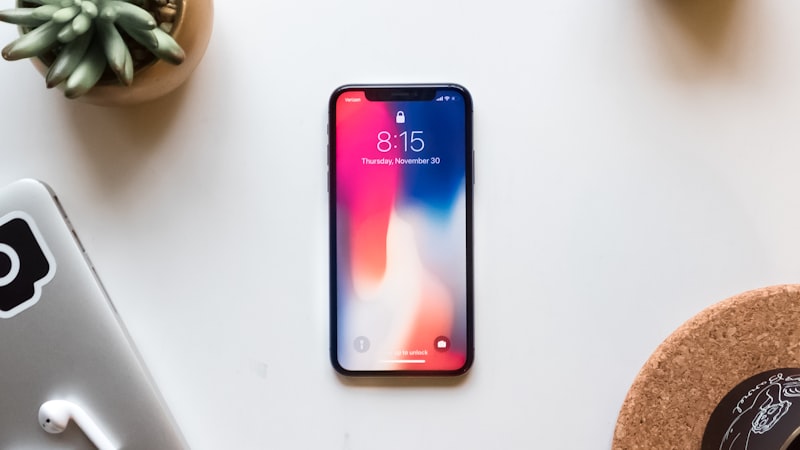
The App Library is accessible by swiping left past the last page of the home screen. It presents apps in automatically generated categories like 'Utilities,' 'Social,' 'Entertainment,' and 'Recently Added.' While these categories are generally accurate, the lack of granular user control over their composition can initially frustrate some Android converts accustomed to meticulously organizing their app drawers with custom folders and labels.
The Philosophy Behind Apple's Approach
Apple's design philosophy with the App Library emphasizes simplicity and ease of use. The automatic categorization is intended to reduce the cognitive load on the user, eliminating the need to manually sort and arrange applications. This approach aligns with Apple's broader strategy of prioritizing user experience over customizability, a contrast to the more open and configurable nature of Android.
However, this simplification comes at a cost. Android users, particularly those who have invested time in carefully curating their app drawer organization, may find the App Library's lack of customization options limiting. The inability to create custom categories or manually reassign apps can lead to a feeling of reduced control over their digital environment.
Adapting to the iPhone App Library
Despite the initial adjustment period, there are strategies Android switchers can employ to effectively utilize the App Library and mitigate its limitations. The first step is to embrace the system's automatic categorization. While it may not perfectly align with individual preferences, it generally provides a functional and accessible overview of installed applications.
Secondly, users can leverage the home screen strategically. Rather than attempting to replicate the Android app drawer on the iPhone's home screen, focus on placing frequently used apps and widgets directly on the home pages. This approach allows for quick access to essential applications while relegating less frequently used apps to the App Library.
Moreover, the iPhone's search functionality can be used to quickly locate specific apps within the App Library. By swiping down on the home screen, users can access the search bar and quickly type the name of the desired application. This method can be particularly useful for locating apps that are not immediately visible within the App Library's categories.
Alternatives and Workarounds
While Apple doesn't offer a direct replacement for the Android app drawer, some users have explored alternative approaches to achieve a similar level of organization. One option is to create multiple home screen pages, each dedicated to a specific category of apps. While this method requires manual organization, it provides a greater degree of control over app placement than the App Library alone.
Another approach involves using third-party apps that offer custom home screen organization features. These apps, while not directly modifying the App Library, can provide a more personalized experience on the home screen itself. However, it's important to carefully evaluate the privacy implications of such apps before granting them access to your device.
Looking Ahead
The future of app organization on iOS remains uncertain. While Apple has shown little inclination to fundamentally alter the App Library's core functionality, it's possible that future updates could introduce more customization options. As discussed on our sister site, iPhone Arc, Apple's industrial design choices often reflect a balance between form and function. In this case, it seems that the form of a decluttered home screen takes precedence over the function of ultimate user control. Whether this balance will shift in future iOS releases remains to be seen.
For Android switchers, adapting to the iPhone's App Library requires a shift in mindset. While the lack of customization may initially feel restrictive, embracing the system's simplicity and leveraging its strengths can ultimately lead to a more streamlined and efficient user experience. The key is to focus on optimizing the home screen for quick access to essential apps and utilizing the App Library as a well-organized, albeit less customizable, repository for the rest.