Adapting to the iPhone's Silent Mode: A Gradual Transition for Android Switchers
The Silent Switch: A Divergence from Android
For many Android users making the leap to iPhone, the silent mode switch presents a surprisingly significant adjustment. Unlike the granular control often found in Android's notification settings, the iPhone relies heavily on a physical switch to toggle between sound on and silent modes. This difference can lead to missed notifications, accidental silencing, and a general sense of disorientation for new converts. This article explores the nuances of the iPhone’s silent mode and provides practical strategies for adapting to this new paradigm.
Editor's pick: Android-to-iPhone migration accessories on Amazon → As an Amazon Associate, this site earns from qualifying purchases.
Understanding the iPhone's Silent Mode
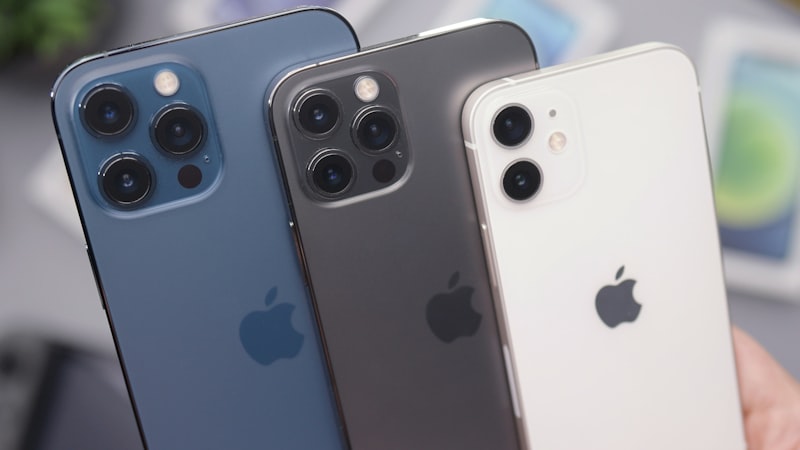
The iPhone’s silent switch, located on the left side of the device, offers a simple binary choice: sound on or sound off. When the switch is flipped towards the back of the phone, a small orange indicator is revealed, signifying that the device is in silent mode. In this state, all sounds are muted, including ringtones, alerts, and notification sounds. However, alarms will still sound, ensuring you don't miss critical appointments. This is different from Android's approach, where users can often selectively mute specific apps or notification categories while still allowing others to chime through.
The Learning Curve: Common Pitfalls
One of the most common mistakes Android switchers make is forgetting about the physical switch altogether. Accustomed to managing sound settings through software, they may inadvertently leave the switch in the silent position, resulting in missed calls and messages. Another challenge lies in the lack of visual feedback. On Android, notification icons often provide a clear indication of whether the phone is muted. The iPhone, however, relies on the physical position of the switch and a subtle on-screen notification when the switch is toggled. This lack of constant visual reminder can be problematic.
Strategies for a Smooth Transition
Several strategies can help ease the transition to the iPhone's silent mode:
- Develop Muscle Memory: Make a conscious effort to check the position of the silent switch regularly, especially before placing your phone in your pocket or bag.
- Leverage Focus Modes: While the silent switch silences everything, Focus modes offer a more nuanced approach to managing interruptions. You can create custom Focus modes for different situations, such as work or sleep, allowing specific notifications while silencing others.
- Customize Notification Settings: Delve into the iPhone's notification settings to tailor how each app alerts you. Even with the silent switch engaged, you can configure certain apps, like emergency contacts or critical reminders, to bypass the silence.
- Use the Apple Watch: If you own an Apple Watch, it can provide haptic feedback for notifications, even when the iPhone is in silent mode. This allows you to stay informed without audible alerts.
The Future of iPhone's Silent Mode
Speculation continues to circulate regarding a potential redesign of the iPhone's physical controls. As our sister site, iPhone Arc, has extensively covered, Apple is constantly exploring alternative form factors and input methods. While there's no concrete evidence to suggest the immediate removal of the silent switch, advancements in haptic technology and software-based controls could eventually pave the way for a more customizable and intuitive approach to managing sound settings. Indeed, some patents have surfaced showcasing solid-state button designs and contextual haptic feedback, potentially replacing the mechanical switch with a more dynamic solution. This would align the iPhone more closely with Android's software-centric approach.
Conclusion
The iPhone's silent mode, while seemingly simple, requires a conscious effort to master for Android switchers. By understanding its limitations and adopting proactive strategies, users can seamlessly integrate this feature into their daily routines. As Apple continues to innovate, it is likely that the silent mode will evolve, potentially incorporating more granular control and intelligent automation, as we have seen in the development of ProMotion technology (covered in detail at iPhone View). Until then, embracing the physical switch and exploring the iPhone’s other sound management tools is key to a successful transition.