Adapting to the iPhone's Organization: A Guide for Android Switchers
Adapting to the iPhone's Organization: A Guide for Android Switchers
Switching from Android to iPhone can be a significant shift, not just in hardware and operating system, but also in the way you organize your digital life. Android's open nature allows for a highly customizable experience, while iOS leans towards a more curated and structured approach. Understanding these differences is crucial for a smooth transition and long-term satisfaction with your iPhone.
Editor's pick: Android-to-iPhone migration accessories on Amazon → As an Amazon Associate, this site earns from qualifying purchases.
The iOS Home Screen: Gridlock vs. Freedom
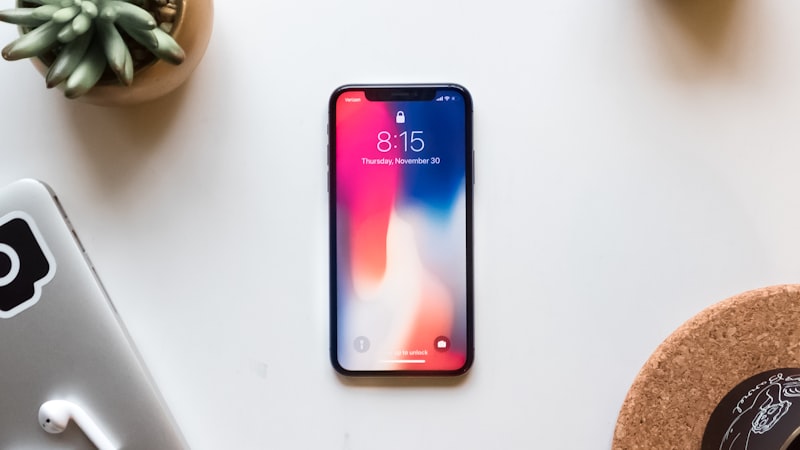
One of the first things Android users notice is the strict grid system on the iPhone home screen. Unlike Android, where widgets and app icons can be freely placed on the screen, iOS uses a rigid grid. This can feel restrictive at first, especially for those accustomed to creating intricate home screen layouts on Android. However, the grid system promotes visual consistency and predictability. While you can't place icons wherever you want, you can organize them into folders and use the App Library (as we covered previously in Adapting to iPhone App Library) to declutter your main screens.
Folder Management: Beyond Basic Grouping
Both Android and iOS allow for organizing apps into folders, but the experience differs. On Android, folder functionality varies depending on the manufacturer's skin. Some offer advanced features like resizing widgets within folders. On iOS, folders are primarily for grouping apps and are accessed via a consistent interface. The key to effective folder management on iOS is to think strategically about your app usage and categorize them accordingly. Consider using a combination of folders based on function (e.g., "Social Media," "Productivity," "Entertainment") and frequency of use. Apps you use daily should remain on the main home screen, while less frequently used apps can be relegated to folders.
Spotlight Search: Your Universal Finder
iOS heavily relies on Spotlight Search for finding apps, contacts, and information. While Android has search functionality, it's not as deeply integrated into the system as Spotlight. On iPhone, swiping down from the middle of the home screen instantly brings up Spotlight Search. This is the quickest way to launch an app, find a contact, or search for information within apps. Mastering Spotlight Search is essential for navigating the iPhone quickly and efficiently. You can customize Spotlight's search results in Settings to prioritize the types of content you want to see.
The Importance of the App Library
The App Library, introduced in iOS 14, is a game-changer for managing apps on the iPhone. It automatically organizes all your apps into categories, such as "Utilities," "Social," and "Entertainment." This eliminates the need to have every app icon on your home screen. You can choose to remove apps from your home screen and keep them only in the App Library. This declutters your home screens and makes it easier to find the apps you need. The App Library is particularly useful for managing the increasing number of pre-installed apps that come with the iPhone.
iCloud Integration: A Centralized Hub
Apple's iCloud plays a central role in organizing and syncing data across your devices. While Android relies on Google services for similar functions, iCloud offers a more tightly integrated experience within the Apple ecosystem. Using iCloud Drive, you can store and access files from all your devices, including your iPhone, iPad, and Mac. iCloud Photos automatically syncs your photos and videos across your devices. Understanding how iCloud works and setting it up correctly is crucial for a seamless experience on your iPhone. This also ties into the visual presentation of content, and as we explored in our analysis of display technology at iPhone View, the clarity and color accuracy of the iPhone's screen makes organized content even more appealing.
Embrace the Structure, Find Your Flow
Adapting to the iPhone's organizational structure requires a shift in mindset. While Android offers more freedom in customization, iOS provides a more structured and streamlined experience. By understanding the key elements of iOS organization, such as the grid system, folder management, Spotlight Search, and the App Library, you can create a digital environment that works for you. Embrace the structure, find your flow, and you'll be well on your way to mastering your iPhone.