Adapting to the iPhone's Inter-App Communication: Shortcuts, Share Sheets, and Beyond
Adapting to the iPhone's Inter-App Communication: Shortcuts, Share Sheets, and Beyond
Switching from Android to iPhone involves adapting to a different philosophy of inter-app communication. While Android emphasizes Intent-based sharing and deep linking, iOS relies on a more controlled, yet powerful, system built around Share Sheets, Extensions, and the Shortcuts app. Understanding these mechanisms is crucial for maximizing productivity and replicating familiar workflows.
Editor's pick: Android-to-iPhone migration accessories on Amazon → As an Amazon Associate, this site earns from qualifying purchases.
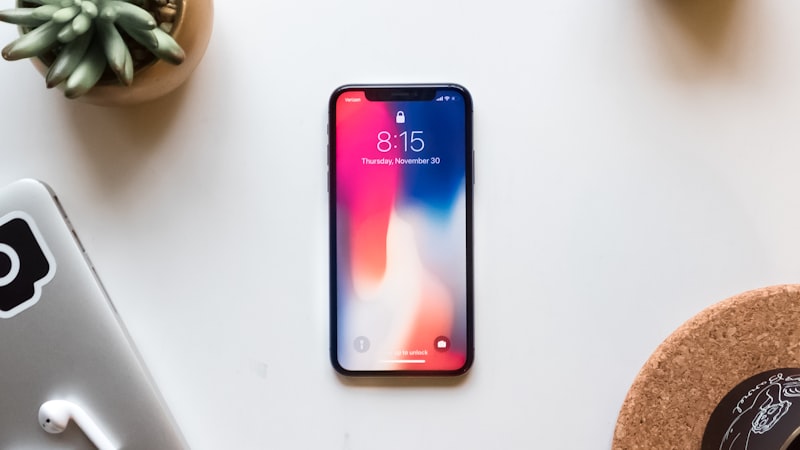
The Share Sheet: Your Central Hub
The Share Sheet is the primary way iOS handles passing data between apps. While Android's share menu might feel more direct, iOS's Share Sheet offers a curated selection of actions and destinations. Android users should note a key difference: iOS prioritizes actions relevant to the *type* of data being shared. Sharing a photo will primarily suggest photo editing apps or social media platforms, while sharing a link will highlight browser extensions or reading list apps.
One important aspect is Share Sheet extensions. Developers can create custom actions that appear within the Share Sheet when sharing certain types of content. For example, a password manager might offer an extension to automatically fill in a username and password on a shared website link. This allows for seamless integration without constantly switching between apps.
Mastering the Share Sheet involves customizing its appearance. Users can reorder, add, or remove actions to suit their individual needs. This customization allows for a more streamlined experience, putting frequently used options within easy reach. The key is to actively manage and tailor the Share Sheet to reflect your most common workflows.
Unlocking Automation with Shortcuts
The Shortcuts app provides a more advanced level of inter-app communication. While Android has options like Tasker, Shortcuts offers a visually intuitive, though sometimes less granular, approach to automating tasks. It enables users to create custom workflows that chain together actions from multiple apps. These workflows can be triggered manually, scheduled, or activated by specific events, such as arriving at a location or receiving a notification.
Shortcuts can significantly streamline tasks that would otherwise involve multiple steps and app switches. For example, a shortcut could automatically save a screenshot to a specific album in Photos, then send it to a pre-defined contact via iMessage. The possibilities are virtually limitless, and a growing library of user-created shortcuts is available for download and customization.
One area where Shortcuts particularly shines is its ability to interact with system settings and hardware features. Users can create shortcuts to adjust volume, brightness, enable or disable Wi-Fi, and even control smart home devices. This level of integration makes Shortcuts a powerful tool for customizing the iPhone experience.
Deep Linking and Universal Links
Beyond the Share Sheet and Shortcuts, iOS also utilizes deep linking and Universal Links to facilitate communication between apps. Deep linking allows one app to directly open another, potentially at a specific location or with specific data. Universal Links take this a step further by associating specific web domains with an app, allowing users to seamlessly transition from a web link to the corresponding app, if installed. These mechanisms are often used for onboarding flows, referral programs, and other types of app-to-app interaction.
Considerations for Android Switchers
Android switchers should be aware that iOS's inter-app communication model is more restrictive than Android's. While this can sometimes feel limiting, it also contributes to a more secure and predictable environment. Understanding the available tools – Share Sheets, Extensions, Shortcuts, and Deep/Universal Links – is key to replicating and even improving upon familiar Android workflows. As we explored in our analysis of display technology at iPhone View, Apple prioritizes a cohesive user experience, and inter-app communication is a key component of that.
The Future of Inter-App Communication
Apple continues to refine its approach to inter-app communication. Rumors suggest future versions of iOS could introduce more advanced integration options, potentially blurring the lines between apps and services. As reported by supply chain analysts, Apple is reportedly exploring more modular app architectures, which could facilitate even tighter integration and more seamless data sharing between different components. This evolution promises a more fluid and intuitive user experience, allowing users to accomplish more with less effort. As we have covered extensively on iPhone Evolve, Apple is always looking to improve the overall user experience with each new iteration of the iPhone.