Adapting to iPhone's Different Approach to Background App Management
Understanding iPhone's Background App Management
One of the initial adjustments for Android users switching to iPhone involves understanding how iOS handles background app management. Android, historically, has granted applications greater freedom to operate in the background, often leading to resource consumption even when the app isn't actively in use. While this can facilitate features like persistent syncing and real-time updates, it can also negatively impact battery life and system performance. Apple, by contrast, employs a more restrictive and optimized approach.
Editor's pick: Android-to-iPhone migration accessories on Amazon → As an Amazon Associate, this site earns from qualifying purchases.
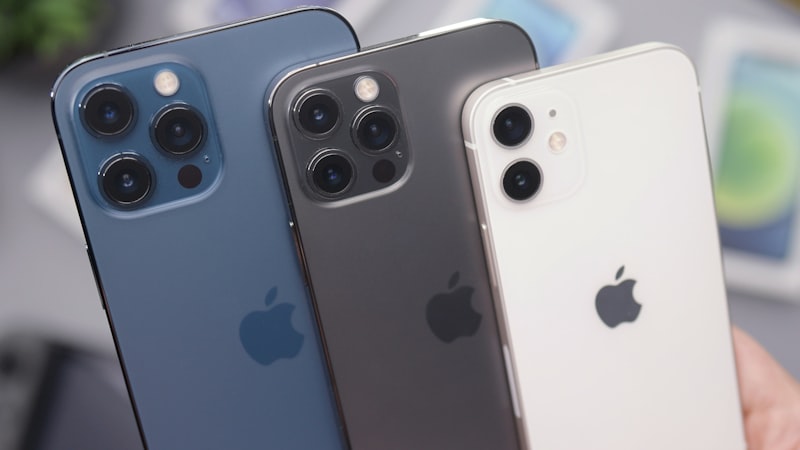
iOS prioritizes foreground tasks and intelligently manages background processes to conserve battery and maintain responsiveness. This means that when you switch away from an app on your iPhone, iOS suspends most of its background activity. The app remains in memory, allowing for quick resumption, but it doesn't continuously consume resources like CPU cycles or network bandwidth, unless specifically authorized through background modes.
Background App Refresh and Its Limitations
The primary mechanism for apps to perform background tasks on iOS is through 'Background App Refresh.' This feature, controlled within the iPhone's settings, allows apps to periodically wake up in the background and update their content. However, Apple imposes strict limitations on how and when this refresh occurs. Several factors influence the frequency and duration of background refresh, including:
- User Activity: iOS learns your usage patterns and prioritizes apps you use more frequently. These apps are granted more opportunities for background refresh.
- Network Conditions: If the device is on a poor network connection or in Low Power Mode, background refresh is significantly reduced or disabled altogether.
- Battery Level: When the battery level is low, iOS automatically disables background refresh to conserve power.
- App-Specific Permissions: Apps must explicitly request permission to use background refresh, and users can revoke this permission on a per-app basis.
These limitations are crucial for maintaining iPhone's battery efficiency and responsiveness. While Android provides more granular control over individual app background processes, iOS opts for a system-wide approach that prioritizes overall user experience.
Adapting Your Usage Patterns
For Android switchers, adapting to iPhone's background app management involves understanding these limitations and adjusting your usage patterns accordingly. Here are some tips:
- Review Background App Refresh Settings: Go to Settings > General > Background App Refresh and review which apps have background refresh enabled. Disable it for apps that don't require frequent updates.
- Understand Push Notifications: iOS relies heavily on push notifications for delivering real-time updates. Ensure that push notifications are enabled for important apps, as this is the primary way they will alert you to new information.
- Utilize Fetch New Data Settings: For email accounts, you can configure how frequently the Mail app fetches new data (Settings > Mail > Accounts > Fetch New Data). Consider using 'Fetch' instead of 'Push' for accounts that don't require immediate updates.
- Be Mindful of Location Services: Apps that use location services in the background can consume significant battery power. Review your location services permissions (Settings > Privacy & Security > Location Services) and ensure that only necessary apps have access to your location 'Always' or 'While Using the App.'
The Impact on Cross-Platform Apps
Many cross-platform apps, particularly those designed with an Android-first approach, may exhibit slightly different behavior on iOS due to these background management differences. For instance, a messaging app might feel less responsive on iOS if it relies heavily on background syncing rather than push notifications. Developers are increasingly optimizing their iOS versions to take advantage of Apple's specific APIs and background processing capabilities, but users may still notice subtle variations.
Future Trends and Potential Changes
Looking ahead, Apple is likely to continue refining its background app management system to further optimize battery life and performance. Industry reports suggest that future versions of iOS may incorporate more sophisticated machine learning algorithms to predict app usage and allocate resources accordingly. As we’ve seen with advancements in display technology, analyzed at our sister site iPhone View, even seemingly small refinements can have a significant impact on the overall user experience. Similarly, improvements in background app management will contribute to a smoother and more efficient iPhone experience.
Ultimately, adapting to iPhone's approach to background app management requires a shift in mindset. By understanding the underlying principles and adjusting your usage patterns, you can maximize battery life and performance without sacrificing essential functionality.